
Most Logitech meeting room solutions in Dubai fail for one simple reason. The kit does not match the room. A video bar built for a huddle space struggles in a twelve seat boardroom, and remote guests.
Most Logitech meeting room solutions in Dubai fail for one simple reason. The kit does not match the room. A video bar built for a huddle space struggles in a twelve seat boardroom, and remote guests hear only half the table. This guide sizes each Logitech model to the room it suits, from MeetUp 2 in small spaces to Rally Plus in large boardrooms. It also covers Teams and Zoom certification, touch controllers, Logitech Sight and the install work that makes the hardware perform. You can browse the Logitech range we install as you read.
Key Takeaways
Pick the Logitech kit by seat count and table length, not by budget alone. Small rooms suit MeetUp 2, medium rooms suit Rally Bar, and large rooms need Rally Plus.
Check the Microsoft Teams Rooms certified list before you buy, and pair every room with a Tap IP controller so meetings start with one touch.
The install decides the result. Cabling, mounting height, acoustics and commissioning matter as much as the camera.
Which Logitech meeting room solutions in Dubai fit each room size?
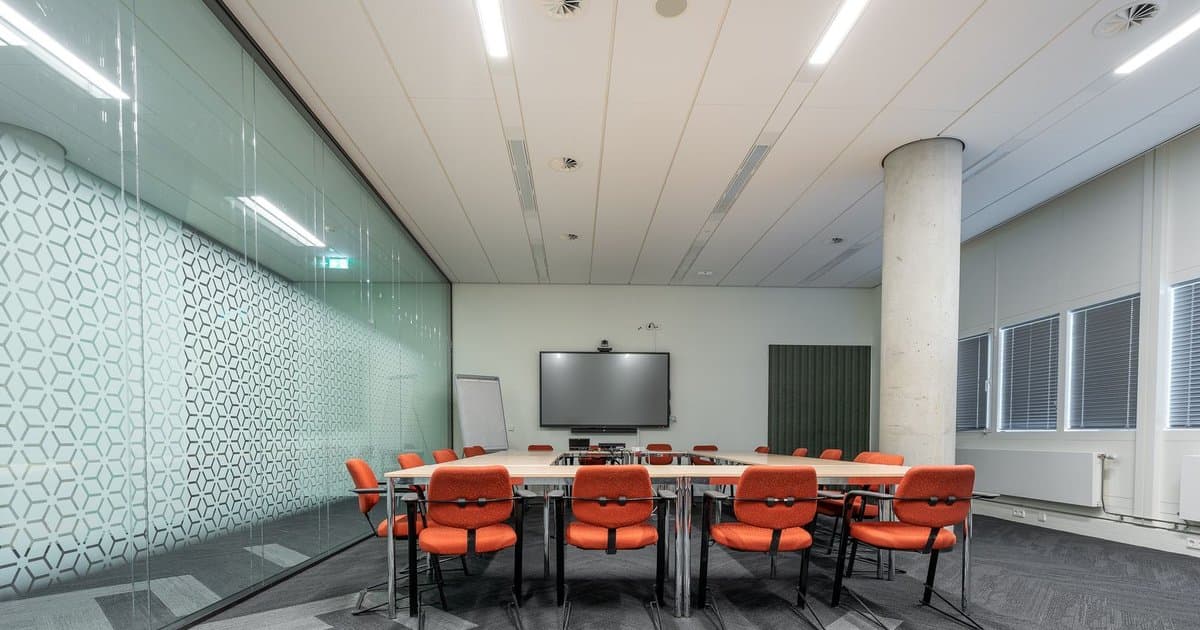
Start with three numbers: seats, table length and screen size. Logitech designs each model for a band of room sizes. Go too small and voices drop off at the far end. Go too big and you pay for coverage you never use.
Seat count alone can mislead. A narrow room with a long table behaves like a large room, even with only eight chairs. Measure the distance from the camera to the furthest seat. Then check that the microphones cover that distance with margin to spare. Logitech groups its video collaboration range by room type, which is a useful first filter.
For huddle rooms, MeetUp 2 is the natural choice. Vega lists it with an ultra wide 120 degree field of view, 4K optics and a six element microphone array. It connects over USB to a room PC or laptop. Our MeetUp 2 specifications page covers the full sheet. The original MeetUp still suits rooms of about six people, or up to eight with the optional Expansion Mic.
Medium rooms and smaller boardrooms suit Rally Bar. Its six MEMS microphones pick up voices at roughly seven metres. It drives two displays over HDMI and runs in USB, appliance or laptop mode. Many buyers searching for a Logitech Rally Bar Dubai install land here, and our Rally Bar product page lists the details. Logitech Group remains a sound budget option for 14 to 20 people, with expansion mics that extend pickup to 8.5 metres.
Large and extra large rooms need Rally Plus. It is modular. One 4K PTZ camera sits at the front, while two mic pods sit on the table near the people speaking. Two speakers stay by the displays. For training rooms where people write as well as talk, Rally Board 65 combines a 65 inch 4K touch display, camera, microphones and speakers in one unit.
Are Logitech room kits certified for Microsoft Teams and Zoom?
Yes, many are, but check the exact model and mode. Microsoft publishes a Teams Rooms certified hardware list. It names Rally Bar, Rally Bar Mini, MeetUp, MeetUp 2 and Group. It also lists Sight paired with Rally Bar or Rally Bar Mini. Logitech Tap appears in several Windows compute bundles.
Certification matters for support. A certified room gets tested firmware, a familiar Teams interface and fewer surprises after updates. Zoom Rooms and Google Meet also run on Logitech hardware, so confirm your platform before you order. Mixed estates need extra care, because one room may run Teams while another hosts client calls on Zoom.
Every room also needs a way to start the meeting. Tap IP is a 10.1 inch touch controller that runs on Power over Ethernet. One network cable carries power and data. A motion sensor wakes it when someone walks in. Staff join the next call with one tap instead of hunting for a laptop cable.
For guests who bring their own laptop, Logitech Extend helps. One USB C cable connects the laptop to the room camera, microphones and display. It delivers up to 100 W of power to the laptop and supports long runs over category cabling. Visiting consultants and auditors can then present with no driver installs.
How does Logitech Sight help remote attendees in a boardroom?
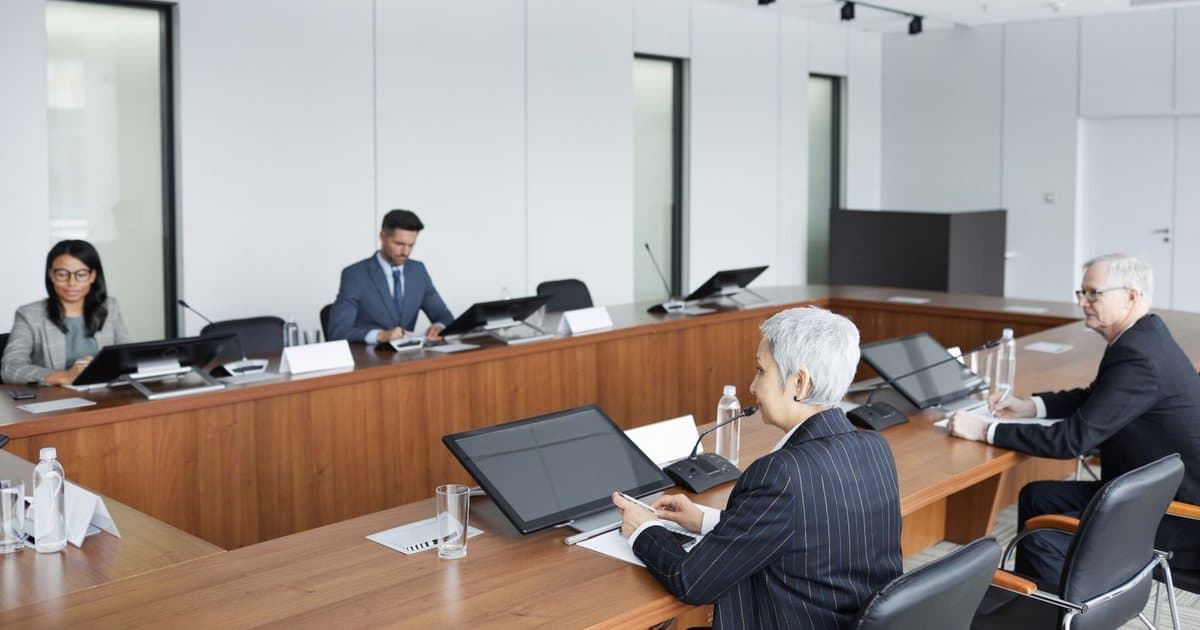
A front of room camera sees faces well near the screen. People at the far end of a long table appear small, and those looking at each other appear side on. Remote attendees lose the reactions that drive a negotiation.
Logitech Sight sits in the centre of the table. Vega lists it with dual 4K cameras, a 315 degree horizontal view and framing that tracks up to four active speakers. It pairs with Rally Bar or Rally Bar Mini. The system then shows remote guests a face on view of whoever is talking.
Sight adds a cable run through the table, so plan it early. Core drilling, a floor box and cable management are far easier before the joiner fits the table. This is a common snag in Dubai fitouts, where the furniture often arrives last.
What does a Logitech meeting room integrator in the UAE actually do?
The hardware is the easy part. A Logitech meeting room integrator in the UAE turns a box of kit into a room people trust. The job starts with a site survey and ends with a signed test sheet.
First comes the survey. Engineers measure the room, the table and the screen wall, then note glass, hard floors and ceiling height. Glass partitions and marble floors are common in Dubai offices, and they create echo that no microphone fully fixes. Acoustic panels or a rug often solve more than a pricier camera.
Next comes cabling and mounting. Tap IP needs a PoE network port. Rally Bar needs HDMI runs to the displays and a USB or network path to the room compute. The camera should sit close to eye level, just above or below the screen. Wall reinforcement matters for a 46 kg Rally Board 65.
Then comes commissioning. The integrator updates firmware, enrols each device in Logitech Sync for remote monitoring and sets the Teams or Zoom accounts. Finally, the team runs test calls from every seat and trains the people who book the room. Our article on how to choose an AV installer for your meeting rooms lists the questions to ask any vendor.
How should you plan Logitech rooms across a whole office?
Standardise where you can. If every medium room runs Rally Bar with Tap IP, staff learn one interface. Your IT team also manages one firmware track in Logitech Sync.
Plan the network with the AV. Each Tap IP and appliance mode bar needs a network port, and many need PoE. Agree VLANs and firewall rules with IT before install day. Rooms often fail on the first call because a port was blocked, not because the camera was wrong.
Think about the people too. Name one owner for each floor who reports faults and books test calls. Keep a simple log of which kit sits in which room. When a board member complains about a call, that log turns a vague complaint into a quick fix.
Finally, budget for support. Firmware changes, Teams updates and moved furniture all affect a room over time. A maintenance plan with periodic health checks keeps every room ready for the next board meeting. Our video conferencing and meeting room AV service covers design, install and ongoing care.
Conclusion
Good Logitech meeting room solutions in Dubai start with the room, not the catalogue. Match MeetUp 2, Rally Bar, Rally Plus or Rally Board 65 to the seats and table. Add Tap IP for one touch joins and Sight where remote guests need a seat at the table. Then invest in the install: clean cabling, correct mounting, sensible acoustics and proper commissioning. That is what makes hybrid meetings feel natural. If you are fitting out new rooms or fixing old ones, book a site survey with our engineers and we will size the kit to your space.
Frequently Asked Questions
Which Logitech video bar suits a small meeting room?
MeetUp 2 suits huddle and small rooms. It offers a 120 degree field of view, 4K optics and a six element microphone array. It connects over USB, so it works with a room PC or a guest laptop on most major platforms.
What size room is the Logitech Rally Bar designed for?
Rally Bar targets medium and large meeting rooms. Its six microphones pick up voices at roughly seven metres, and it drives two displays. For a Logitech Rally Bar Dubai project, we confirm table length and acoustics on site before recommending it.
When do I need Rally Plus instead of Rally Bar?
Choose Rally Plus for large boardrooms and training rooms. Its mic pods sit on the table near participants, while speakers stay at the front. That separation keeps far end voices clear in rooms too long for a single bar.
Do Logitech meeting room solutions in Dubai work with Microsoft Teams?
Yes. Microsoft lists Rally Bar, Rally Bar Mini, MeetUp 2, Group and Sight with Rally Bar on its Teams Rooms certified hardware list. Zoom Rooms and Google Meet also run on Logitech hardware. Confirm the model and mode before ordering.
What does Logitech Sight add to a room?
Sight is a tabletop camera with dual 4K lenses and a 315 degree view. It pairs with Rally Bar or Rally Bar Mini and frames up to four active speakers. Remote attendees see faces instead of profiles.
Does Tap IP need a separate power supply?
No. Tap IP runs on Power over Ethernet, so one network cable carries both power and data. The switch port must supply PoE. A motion sensor wakes the screen when someone enters the room.
Where can I find Logitech meeting room solutions near me in the UAE?
Vega Digital supplies, installs and supports Logitech room kits from Al Qusais, Dubai, for clients across the UAE. You can view the full conferencing product range and then request a site survey for your rooms.
What should a Logitech meeting room integrator in UAE handle?
A good integrator surveys the room, designs the kit, runs cabling, mounts the camera and display, and treats echo. It then updates firmware, enrols devices in Logitech Sync, sets platform accounts, tests every seat and trains your staff before handover.
How do meeting room trends affect which Logitech kit I buy?
Hybrid work has raised expectations for equal views and clear audio from every seat. AI framing and tabletop cameras answer that. Read our guide to meeting room technology trends before you plan a refit.