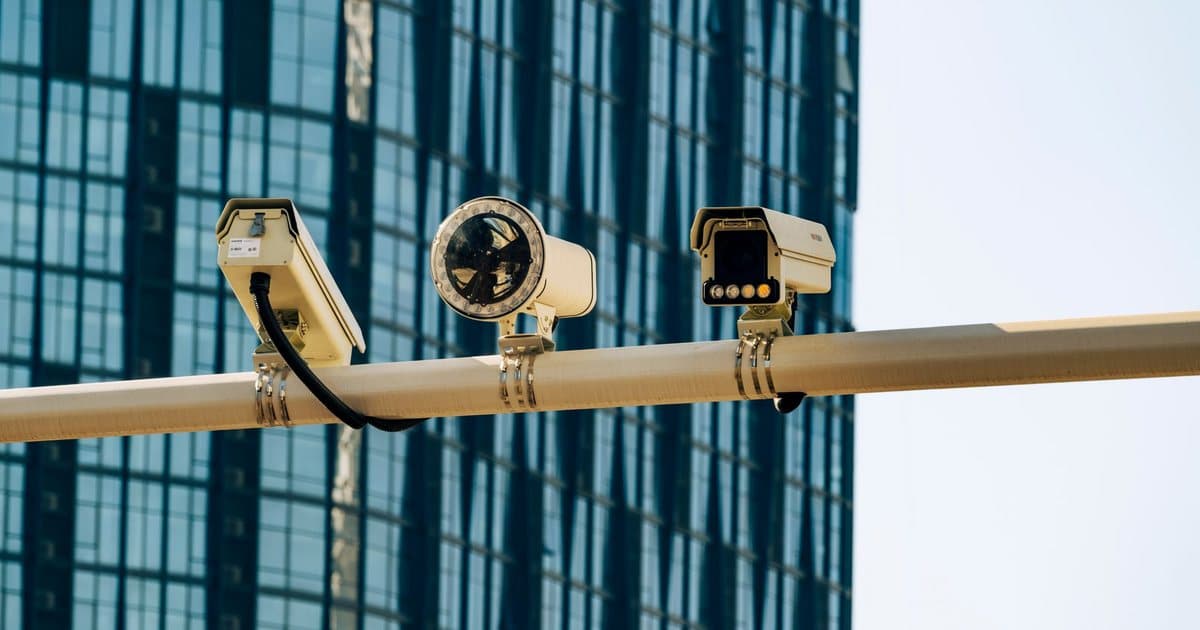


Most buildings do not buy ELV and security systems from a single brand. Cameras come from one maker, access terminals from another, and intercoms and meeting room kit from others again.
Most buildings do not buy ELV and security systems from a single brand. Cameras come from one maker, access terminals from another, and intercoms and meeting room kit from others again. The real question is which of these products can work together, and what has to be proven before you rely on it. This guide uses six products Vega Digital lists as worked examples. It explains which connections rest on open standards, which depend on the maker and what your integrator should test on site before handover.
Key Takeaways
A shared network does not make two products interoperable. Check the standard or integration that actually connects them.
ELV and security systems connect through a few common routes, including ONVIF for video, SIP for voice and dry contact relays.
Ask for a written integration matrix and a site test for every connection your building depends on.
Which systems in a building actually need to connect?
Start with the events, not the equipment. A useful way to plan is to write down what must happen when something occurs. A door forced open should raise an alarm and show the nearest camera. A visitor at the gate should reach reception. A fire alarm should release the doors that your approved life safety design says must release. Keep the list short at first, and add to it only when a real need appears.
Each of those sentences describes a connection between two systems, and only those connections need integration effort. Linking everything sounds attractive, but every link adds testing, documentation and maintenance. A smaller set of connections that work every time is better than a long list nobody has proven.
This approach also separates needs from nice extras. Door alarms linked to video may be essential in a data room and unnecessary in a storeroom. Our 12 point ELV vendor checklist covers who should own this work.
Bring the right people into that conversation. Security decides which events matter, facilities knows how the building operates, IT owns the network and the fire specialist owns the life safety interface. A one hour workshop with all four, working through a floor plan, usually produces a better integration list than weeks of emails. It also reveals early when two departments expect different things from the same door.
How do ELV and security systems connect across brands?
Four routes cover most mixed brand projects. Video usually relies on ONVIF profiles, which let compliant cameras and recorders exchange video and some events. Voice and video calling between intercoms and phones often use SIP, the session initiation protocol. Software integrations use a maker's API or SDK. Simple hardware signals use dry contact relays and inputs.
These routes differ in reliability and depth. ONVIF covers the core functions, but smart analytics and advanced features often remain inside the maker's own platform. SIP call setup is standard, though door release tones and video codecs may still need configuration. Relays are simple and dependable, but they only carry an on or off signal.
So treat a logo on a datasheet as a starting point. Ask which ONVIF profile applies, which firmware version was tested and which features survive the integration. Record the answers. When a firmware update changes behaviour next year, those notes will save your team hours of fault finding. Ask for the same answers in writing from every vendor, so that each maker's claim can be checked against what the others say.
How do six named products fit into one building?
The products below sit in different parts of a commercial building, and each one connects differently. Treat these as examples for your integration matrix. Check the current maker documents for the precise protocols and versions, because a product page can only give you the summary.
Notice that no single standard covers them all. A camera, an access terminal and a turnstile each need their own route, and a meeting room bar may not need to connect to security at all. Sharing a network with security systems can even be the wrong choice, so ask IT how each one should be separated. You can also compare brands through our Hanwha brand page.
HANWHA QNF-9010: a 12MP fisheye for open areas. Confirm its ONVIF profile and which recorder keeps its dewarped views and people counting data.
DS-2CD2067G3-LI(2U)Y: a 6MP Hikvision bullet. On a mixed brand recorder, check that person and vehicle classification still reaches the operator.
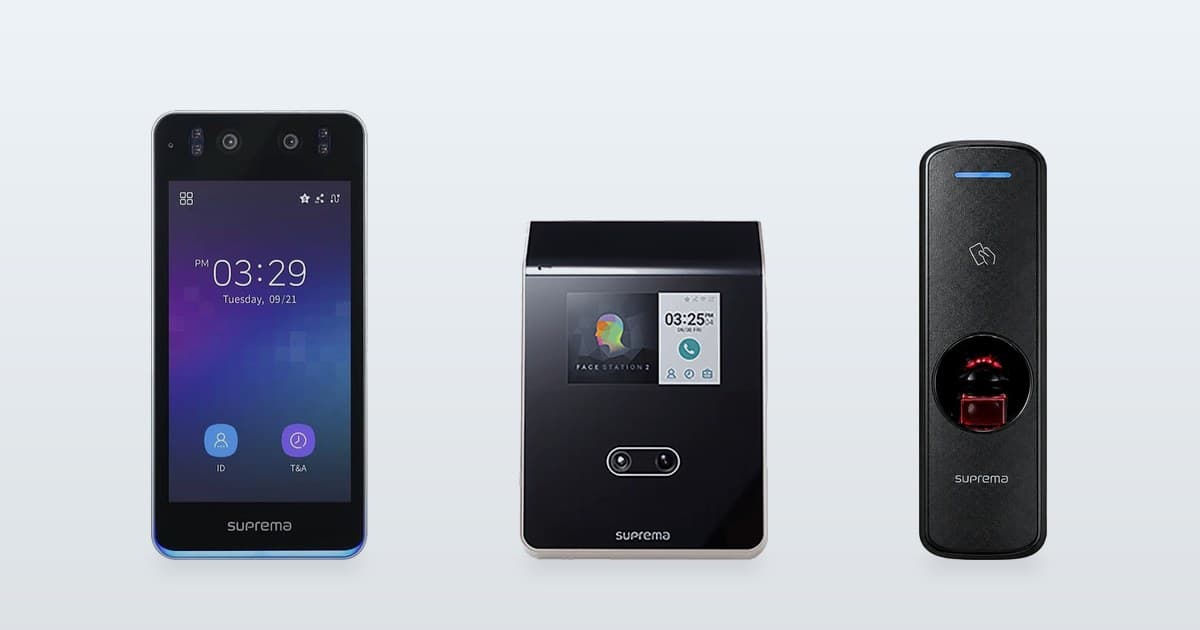
Suprema FaceStation 2: a face terminal for entrances. Confirm how door events reach your platform, and whether they can trigger video from another brand.
ZKTeco SBTL6000: a swing barrier turnstile with a modular reader panel. Confirm that your chosen reader fits and how the lane opens on a fire alarm.
Akuvox S567: a SIP based indoor monitor. Test calls with door stations and reception phones, including video and door release, if they come from other brands.
ClickShare Bar Pro: a meeting room video bar. Keep it on the right network segment, and ask IT whether it needs any link to security systems at all.
Where do mixed brand projects usually go wrong?
The most common failure is assuming that a feature carries across. A camera may stream perfectly to another brand's recorder while its analytics stay behind, so operators lose the alerts the client thought they had bought. Nobody notices until the first incident, because live video still looks fine.
Licensing causes the next set of problems. Connecting a third party camera, door controller or analytics feed to a platform can need extra licences, and these are easy to leave out of a quote. Ask for a line item for every integration, along with who pays when the licence renews.
Time synchronisation is a quieter issue. If the cameras, recorders and access terminals disagree about the time, matching a door event to its footage becomes slow and may undermine an investigation. Point every device at one reliable time source, and check it during maintenance visits.
Firmware is the last trap. An update on one product can break a link that worked for years. Keep a record of the versions you tested together, try updates on one device first and agree who approves them across vendors. Without that discipline, an integration that passed at handover can fail months later, and no single vendor will accept the blame.
What should you test before you accept the system?
Build a short test list from your event sentences. Force a door and confirm the alarm and the camera view. Call reception from the gate and release the door. Trigger the fire alarm interface with the relevant specialists present, and watch what every door and turnstile does. Then disconnect the network and see what still works.
Keep the results as part of handover. Include firmware versions, addresses, credentials held by the client and a list of who supports each integration. Our structured cabling guide covers the physical layer these systems share. Repeat the key tests after major firmware updates and at planned maintenance visits, because an integration can fail quietly long after handover.
Finally, name one owner. When a door event stops reaching the video platform, the access vendor and the camera vendor may each blame the other. A single integrator responsible for the whole matrix, or a named internal owner, removes that argument and shortens every fault call.
Conclusion
Mixed brand ELV and security systems can work very well, but only when each connection is chosen, documented and tested. Start with the events your building depends on, pick the route for each one, and ask for a written matrix and site tests before you accept the work. Vega Digital designs, installs and supports these systems with its own engineers across Dubai and Abu Dhabi. Book a site survey and we will map your connections with you, one event at a time.
Frequently Asked Questions
What are ELV and security systems?
ELV means extra low voltage. The term covers building systems such as CCTV, access control, intercom, public address, structured cabling and meeting room technology. Security systems form part of that group, and many share cabling routes and network equipment.
Can Hikvision cameras record on a Hanwha recorder?
Often, through ONVIF, if both products support a compatible profile. Basic video usually works, while smart analytics may not carry across. Test your exact camera, recorder and firmware versions together before you approve a mixed brand design.
Does ONVIF mean two products are fully compatible?
No. ONVIF covers defined functions within each profile, so products can share video and some events yet still lose advanced features. Check which profile each product conforms to, and confirm the specific features you actually need on site.
Can an intercom from one brand call a phone from another?
Often yes, where both use SIP, but details differ. Video codecs, door release signals and call routing may need configuration or may not work. Test the actual devices with your phone system before you commit to the combination.
Should security devices share the office network?
Usually they should be separated, either physically or with VLANs and firewall rules, because cameras and door systems create traffic and security risks. Your IT team should approve the design. Our network team can plan this with them.
Who is responsible when integrated systems stop working?
Agree this before handover, because vendors may blame each other. Ideally one integrator owns the integration matrix and support route. If your team owns it, keep firmware versions and test records so faults can be traced quickly.
Do fire alarms connect to access control systems?
They often do, so doors release according to the approved life safety design. The rules depend on the building and the relevant authority. Your fire alarm specialist and consultant should approve the interface, and it should be tested on site.
Is a single brand system easier than mixing brands?
Often yes, because features connect with less effort. It can also limit choice and tie you to one maker. Most buildings end up mixed, so choose based on site needs and verify each important connection before you commit.