
A wireless presentation system removes the cable from the table, but it also adds a device to your network. For IT teams, that is where the real decision begins.
A wireless presentation system removes the cable from the table, but it also adds a device to your network. For IT teams, that is where the real decision begins. Which network does it join, how do guests connect and who updates the firmware? This guide looks at those questions using four Barco ClickShare products Vega Digital lists, and compares them with the built in casting many displays already offer. It suits IT managers and facility teams who need a room that works without adding new risk to the network.
Key Takeaways
A wireless presentation system should be judged on network design, guest access and device management as much as on picture quality.
ClickShare Bar Pro suits smaller rooms, CX-50 suits high impact rooms, CX-20 suits small rooms with existing kit and Hub Pro suits modular Teams rooms.
Built in casting can suit simple rooms, but check that it meets your security and support needs before you standardise on it.
What should IT check in a wireless presentation system?
Start with where the device sits. A wireless presentation system usually needs a corporate network connection, and guests need a way to share without reaching internal systems. Agree the VLAN, the firewall rules and whether the unit's own wireless will be used. Check this against the WiFi already in the room, because crowded channels can harm performance.
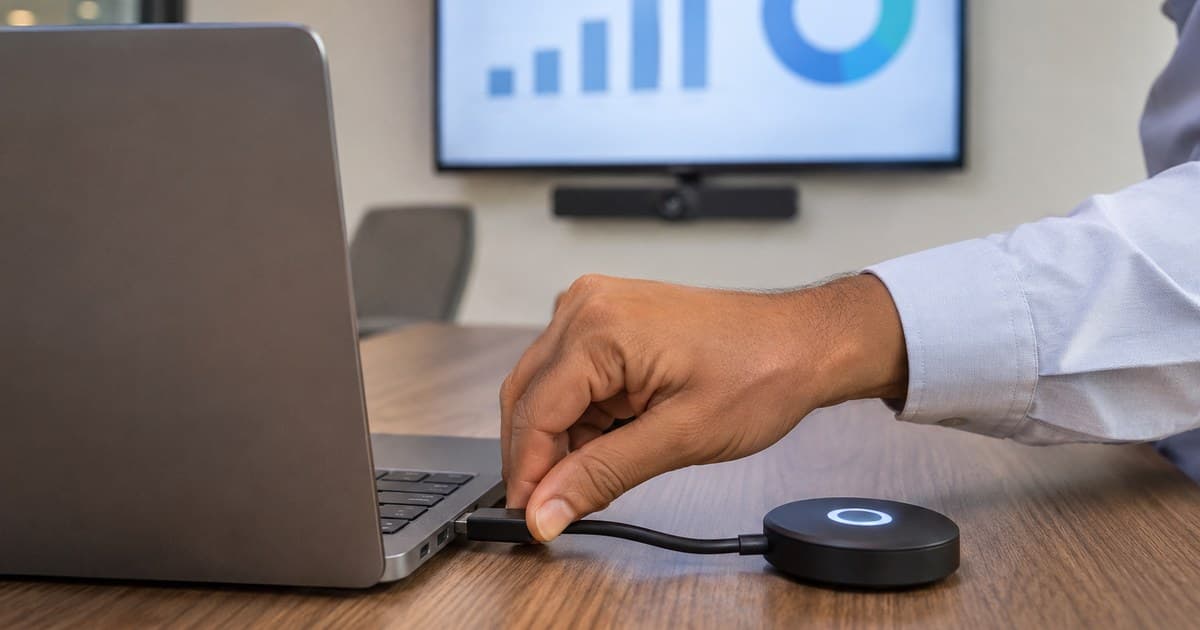
Next, ask how guests connect. Some rooms use a physical button or a dongle, which avoids installing software. Others use an app or a browser. Each option changes what users need on a locked down laptop, so try it with a typical corporate build and a visitor's device.
Then ask who manages the fleet. Firmware should be kept current, and settings should stay consistent across rooms. Our CX-50 page lists cloud management and ANSSI CSPN security certification, and you should check current status against Barco's ClickShare documentation. A device nobody updates becomes a risk, however good it was on the day it was installed.
Bandwidth planning belongs here as well. Sharing a slide deck uses little capacity, but full screen video or a call running through the room kit asks far more of the network. Test the heaviest use your people actually have, at a busy time of day, and not only a quiet demonstration after hours. Also ask the supplier which ports and services the device needs, so your firewall team can approve them once and record the decision.
ClickShare Bar Pro or CX-50: which suits your room?
These two products solve different problems. ClickShare Bar Pro is an all in one video bar for huddle spaces and small meeting rooms, with camera, microphones and speakers in one device. ClickShare CX-50 is a wireless conferencing system that connects a laptop to the room's own camera, audio and displays, so it suits rooms where that equipment is already chosen separately.
If you are fitting out a small room from scratch, the Bar Pro avoids buying a separate camera and speakerphone. If you are upgrading a boardroom or training room that already has good audio and cameras, the CX-50 keeps that investment and adds dual screen sharing. The CX-20 suits small rooms where a simple wireless link to existing kit is enough. The Hub Pro takes a different route: it is a modular base unit with a control panel for Microsoft Teams Rooms.
Room type should drive the choice before features do. Ask who books the room, whether meetings run through one platform and how often guests present. Buyers searching for barco clickshare dubai often start with a model name, but those answers usually pick the model for you. Write them down before you compare prices across models.
Check the display side too. Dual screen support only helps if the room has two suitable displays, and 4K sharing only helps if the cabling and display can carry it. Ask your installer to confirm the signal path from the base unit to each screen. Audio is another common gap: a system such as the CX-50 relies on the room's own microphones and speakers, so poor audio stays poor unless you treat it separately.
ClickShare Bar Pro: an all in one 4K video bar with stereo audio, annotation and a wired room dock, for huddle spaces and small rooms.
ClickShare CX-50: the 2nd generation wireless conferencing system with dual screen support and cloud management, for boardrooms and training spaces.
ClickShare CX-20: a wireless conferencing unit for huddle spaces and focus rooms, listed as working with Zoom, Microsoft Teams, Webex and Google Meet.
ClickShare Hub Pro: a modular kit with base unit, control panel and two buttons, built for Microsoft Teams Rooms meetings.
Is built in casting enough for your meeting rooms?
Many displays and meeting devices now include their own casting. For a small internal room with one type of laptop, that can be enough, and it saves buying extra hardware. The usual limits appear as the estate grows: inconsistent steps between rooms, mixed support for guest devices and less central control over updates and settings. Decide based on the number of rooms you will run.
A dedicated system costs more, but it gives every room the same process and one management route. That consistency matters most where visitors present often or where users move between rooms, because every failed connection wastes the first minutes of a meeting. A pilot makes the difference clear. Set up one room each way, then ask real users to connect from their own laptops and phones without help.
Native casting can also depend on network features that corporate WiFi deliberately restricts. Discovery traffic, for example, may not cross VLANs without changes that your security team may not want. Test on the real network, because a demonstration on an open network proves very little. Your business network and WiFi team should be part of that test.
Support is another difference. When a built in feature fails, the fix may depend on the display maker's update schedule, and your helpdesk may have to deal with several brands. A single dedicated platform gives the helpdesk one process to learn. Weigh that against the extra hardware cost across the number of rooms you plan to equip over the next few years.
Who should supply and support the rollout?
Buyers looking for a barco supplier in dubai should ask about more than price. Ask who configures the network settings, who handles warranty returns and who attends when a room fails before an important meeting. For several rooms, ask for a pilot, a standard configuration and a handover document your helpdesk can actually use.
A wireless presentation system also has to fit the rest of the room, so have it designed along with displays, cabling and audio. Our meeting room and video conferencing team works across Dubai and Abu Dhabi, and you can see the range on our Barco brand page. For wider planning, our article on meeting room technology trends shows how these rooms are changing.
Plan training before the rollout, even for a simple product. A short guide on the table and five minutes with reception and executive assistants prevents most early complaints. Also decide what happens when the button goes missing, because small accessories wander between rooms. Keep spares, label them by room and record them in your asset list with the device serial numbers.
Conclusion
A wireless presentation system succeeds when the network, the room and the support plan are all settled before the first meeting. Choose the Bar Pro, CX-50, CX-20 or Hub Pro from the room and its equipment, compare them honestly with built in casting and test everything on your real network. Vega Digital supplies, installs and supports these systems with its own engineers across Dubai and Abu Dhabi. Talk to our engineers about a pilot room for your team.
Frequently Asked Questions
What is a wireless presentation system?
It lets people share a laptop or phone screen to a meeting room display without connecting a video cable. Some products also link the laptop to the room camera and audio, so calls can run from the user's own device.
What is the difference between ClickShare Bar Pro and CX-50?
The Bar Pro is an all in one video bar with its own camera, microphones and speakers for small rooms. The CX-50 connects laptops to separately chosen room equipment, and it suits boardrooms and training spaces with dual screens.
Does ClickShare need to connect to our corporate network?
That depends on your design. Many organisations connect it for management and updates, and they restrict guest traffic. Agree the VLAN, firewall rules and wireless settings with your IT team, then check them against Barco's current network documentation.
Can guests share without joining our company WiFi?
Often yes, using a button or the product's own wireless route, depending on model and configuration. Test this with a real visitor laptop, and confirm with your security team that guest traffic stays away from internal systems.
Does ClickShare work with Microsoft Teams and Zoom?
Our CX-20 page lists Zoom, Microsoft Teams, Webex and Google Meet, while the Hub Pro kit is built around Microsoft Teams Rooms. Check your exact platform and model against Barco's current compatibility details before you buy.
Is built in casting secure enough for an office?
It can be, depending on the product and network design. Check encryption, guest controls, update support and what discovery traffic it needs across VLANs. Ask your security team to review it the same way as any other network device.
How many rooms should we pilot first?
One or two rooms are usually enough, ideally a small room and a boardroom. Test on your real network with real laptops and guest devices. Use the results to set a standard configuration before you roll out further.
Can the same team also handle the room cabling?
Yes, and it often helps, because network ports, display locations and cable routes affect the result. Our cabling and fibre backbone work can be planned together with the meeting room design, which reduces rework during installation.